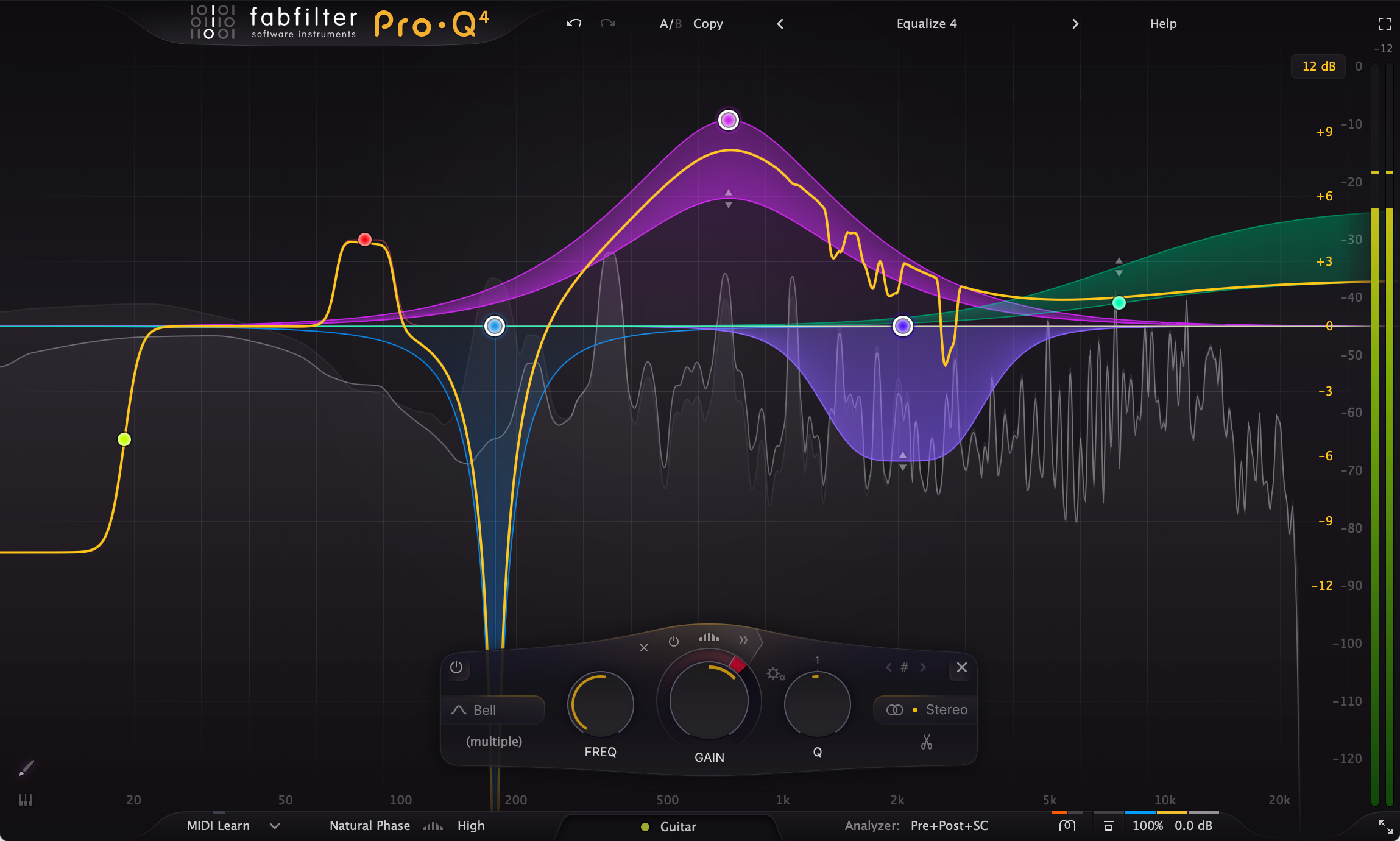
FabFilter has spent years refining an EQ interface that many producers can operate almost without thinking. Pro-Q 4 does not throw that familiarity away. The main display is still built around grabbing the spectrum, creating a band and shaping it directly, which matters because equalisation is one of those jobs where interface friction becomes exhausting over a long session.
The larger change is that Pro-Q 4 now reaches beyond conventional static and dynamic EQ. Spectral dynamics can work inside a selected frequency area rather than moving an entire bell uniformly, allowing harsh or unstable components to be controlled while leaving the rest of the band comparatively untouched. For electronic material, that can be useful on metallic percussion, aggressive wavetable patches, distorted vocals or resonant loops where the problem shifts inside a broader range.
Character modes add another direction. Instead of assuming every band should remain clinically transparent, individual filters can take on alternative behaviour when a track benefits from more texture. The important part is that this sits inside the same workflow rather than requiring a separate colour EQ. It gives producers a way to keep corrective and more assertive tonal decisions in one place while still choosing neutrality where it matters.
EQ Sketch is aimed squarely at speed. Rather than building every node one by one, a broad curve can be drawn across the display and converted into workable bands. It is especially useful at the start of a move, when the intention is clear but exact frequencies are not. The result still needs judgement, but the distance between hearing a tonal idea and setting up the curve becomes shorter.
The Instance List may be the most consequential feature for large sessions. Multiple Pro-Q 4 instances can be viewed and managed from a shared overview, reducing the familiar loop of opening one channel, closing it, finding another and comparing by memory. In a dense electronic arrangement with layered kicks, basses, percussion and synth groups, that wider perspective can make masking decisions more deliberate.
None of this changes the basic reality that EQ is only as useful as the decisions behind it. Pro-Q 4 cannot decide which clash is musically important or whether a rough resonance is actually the character of the sound. What it does is make a large number of corrective and creative moves quicker to reach, easier to compare and more consistent across a project.
The strongest argument for Pro-Q 4 is therefore workflow rather than novelty. Producers who already work quickly with simpler EQs may not need every new layer. For engineers and electronic musicians who live inside dense sessions, however, spectral processing and cross-instance visibility push a familiar tool into something closer to a mix-management environment.
Independent AT-DJ editorial assessment based on verified manufacturer specifications, documentation and current product information. No paid commercial relationship with the manufacturer is involved.